Today
Projects can turn into very long lists. Today gives me a smaller set to work from, with a timer and the project context close by.
Personal software · ongoing
My own planner: a short list for today with a focus timer, each project’s history, and the garden record. It’s a Next.js app with Cognito sign-in that installs on a phone and queues changes while offline.
Project notes ·
Choose a task, finish a sample session, then find it in the project history.
A short list, with the project beside each task.
Tasks and their history stay connected to a project.
0 of 2 sample tasks finished
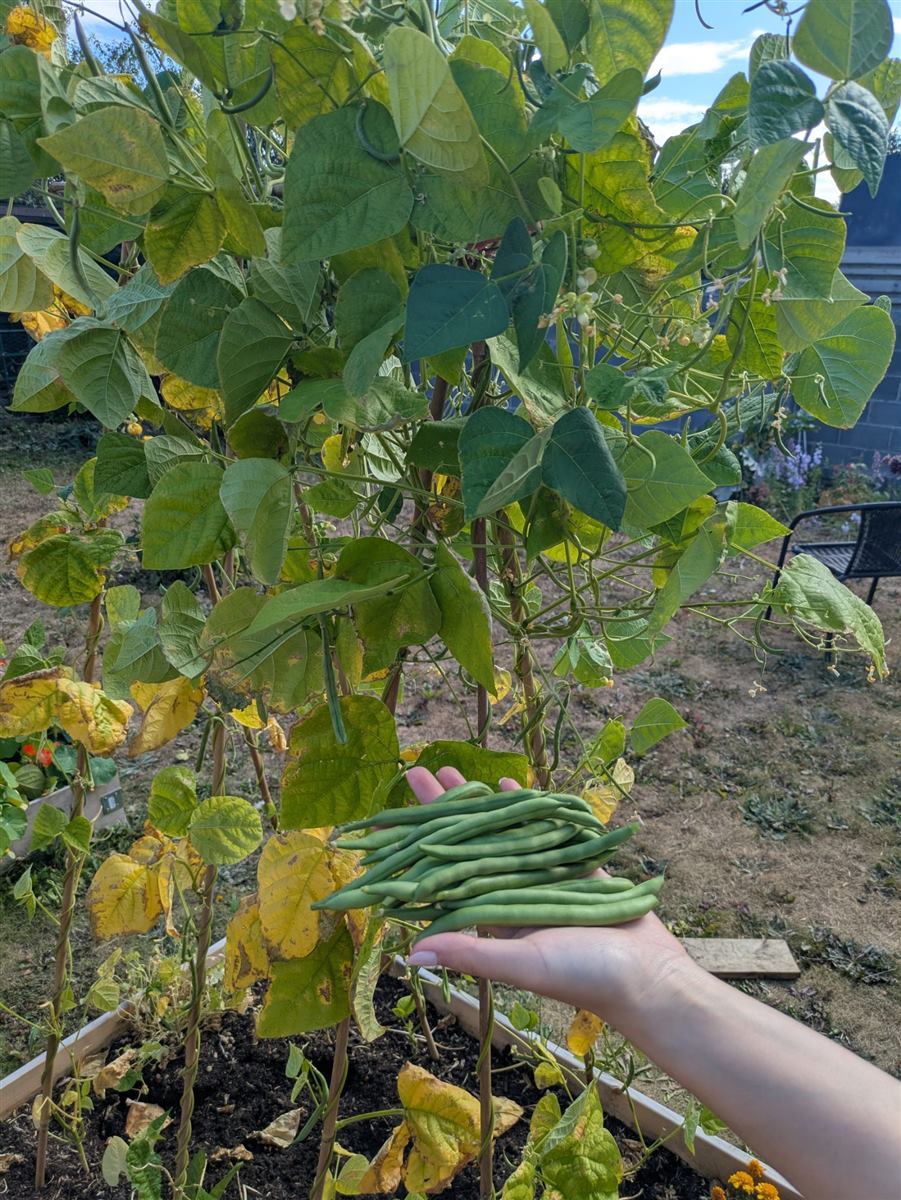
Planting dates, progress photos, and weighed harvests build a record of the season.
These climbing French beans account for 231 g in the published snapshot.
Open the garden recordA simplified walkthrough with sample tasks and example sessions. It doesn’t read or change my private workspace.
The project
Projects can turn into very long lists. Today gives me a smaller set to work from, with a timer and the project context close by.
A board holds the tasks. Work sessions and project views help me see what happened and where to pick things up again.
A photo, a planting date, or a harvest weight is worth keeping too. The garden has its own record, alongside the software and hardware projects.
Life OS is a Next.js app with an installable mobile view. Cognito handles sign-in; Amplify connects the browser to project data and photo storage. An offline queue keeps supported changes until the connection comes back.
I’d like to write a project update in Life OS, pick a photo, and publish it here, with the full record staying private. For now these pages are written separately.